 What Is the Best Way to Build a Small Business Website?
Building a website is one of the first major decisions many small business owners face when establishing or growing their online presence. But before choosing a platform, hiring a developer or paying an agency, there is one important question to answer:
What is the best way to build a small business website for your particular needs and budget?
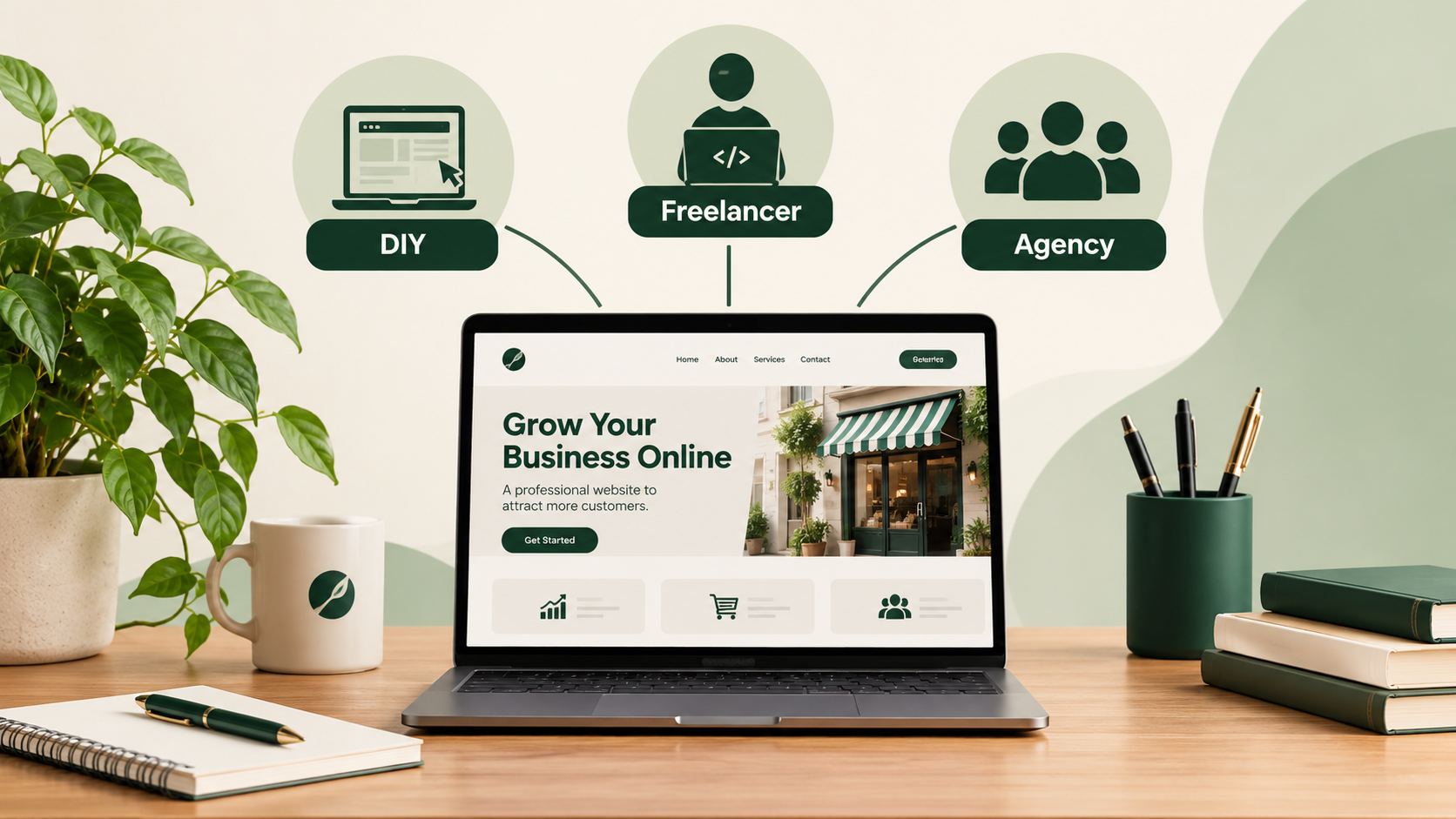
You generally have three options: build the website yourself using a website builder, hire an independent freelance web developer, or work with a web development agency.
Each option has advantages and limitations. Building the website yourself can reduce professional development costs, but it requires your time and willingness to manage the process. A freelancer can provide more specialised help without necessarily requiring an agency-sized budget. An agency can offer a wider range of services and a coordinated team, but that may be more than a smaller project needs.
The right decision depends on what you are building, how much control you want, your available budget and how important the website is to your business operations.
In this guide, we compare all three approaches, look at their likely costs, explain how to evaluate a web developer and share practical steps for hiring without exposing your business to unnecessary risks.
What Are Your Options for Building a Small Business Website?
Before comparing prices, it helps to understand what each approach actually involves.
Option 1: Build the Website Yourself (DIY)
A DIY website is one you create and manage using a website builder or content management platform rather than paying a professional to develop the entire site.
Platforms such as Wix, Shopify and WordPress.com provide tools that allow business owners to create pages, customise layouts, publish content and manage different website functions.
Most modern website builders provide templates, visual editing tools and hosting options. Depending on the platform and plan, you may also have access to ecommerce, appointment booking, marketing and SEO features.
Advantages of DIY website development
- Lower upfront professional development costs.
- Greater control over website content and everyday updates.
- Templates and visual editors can reduce the need for coding.
- You can make changes without depending on a developer for every small adjustment.
- Suitable for businesses with relatively straightforward website requirements.
Limitations
- You need to invest time learning the platform and building the website.
- Advanced customisation may require technical knowledge or professional assistance.
- Poor design and navigation decisions can make the website difficult to use.
- You remain responsible for organising content, testing functionality and maintaining the site.
- Subscription fees, paid apps, premium themes and other extras can increase the total cost.
DIY is worth considering when your website has straightforward requirements, you have time to learn the platform and you are comfortable managing the result.
Option 2: Hire a Freelance Web Developer
A freelance web developer is an independent professional who works on website projects for different clients.
You can hire a freelancer to build an entire website, customise an existing one, improve its design, set up an online store or handle a specific technical task.
Freelancers may specialise in particular platforms and technologies, including WordPress, Shopify, Wix, Webflow and custom web development.
Unlike a website builder, hiring a freelancer gives you access to professional assistance. However, the amount of support depends on the person you hire and the agreement you make.
Advantages of hiring a freelancer
- Access to specialised design and development skills.
- More flexibility than building everything yourself.
- Potentially lower project costs than hiring an agency for a comparable, clearly defined scope.
- Direct communication with the person doing the work.
- Ability to hire for a complete project or specific tasks.
Limitations
- Freelancer experience and quality can vary considerably.
- You may need to manage the project, provide content and coordinate feedback.
- One person may not cover every skill your project requires.
- Availability and ongoing support can vary.
- Poorly defined project requirements can lead to delays and additional charges.
A freelancer is often a practical choice when you know what your business needs, want professional help and can manage communication and project decisions.
Option 3: Hire a Web Development Agency
A web development agency is a company that provides website development services through a team of professionals.
Depending on the agency, that team may include designers, developers, project managers, SEO specialists, copywriters and other professionals.
Rather than relying on one individual, you may have access to several skill sets through a single provider.
Advantages of hiring an agency
- Access to a team with different areas of expertise.
- More structured project management and communication processes.
- Suitable for larger or technically complex projects.
- Potential access to design, development, SEO and content services together.
- Better capacity for projects that require several specialists working together.
Limitations
- Higher costs may be involved, particularly when multiple specialists are required.
- Some projects may receive less direct attention from senior team members than expected.
- Communication may pass through an account or project manager.
- Smaller projects may not require the range of services an agency offers.
- Ongoing support and maintenance may involve additional contracts or fees.
An agency can be appropriate when your website is central to business operations, requires several areas of expertise or involves complex functionality that would be difficult for one developer to manage.
Freelancer vs Agency vs DIY: The Complete Comparison
The cheapest option is not automatically the best value. A business owner should consider not only the initial cost but also the time required, the quality of the final website, the ability to make changes and the cost of managing it after launch.
Here is how the three approaches compare.
| Factor | DIY | Freelancer | Agency |
|---|---|---|---|
| Initial cost | Usually lowest professional cost | Varies by project and experience | Often higher |
| Time required from owner | High | Moderate | Moderate |
| Customisation | Depends on platform | High, depending on skills | High, depending on team |
| Design support | Templates and self-directed work | Depends on freelancer | Often available through a design team |
| Technical expertise | Owner must learn | One professional or specialist | Multiple specialists may be available |
| Project management | Owner manages everything | Usually shared with owner | Often more structured |
| Communication | Direct platform support | Direct with freelancer | Often through a project manager |
| Ongoing maintenance | Owner manages it | Depends on agreement | May be available through a support contract |
| Control | High | Depends on access and agreement | Depends on access and agreement |
Which Option Gives the Best Value?
Value is about more than the price on the initial invoice.
For example, a DIY website may have low upfront costs, but if you spend several weeks learning the platform, creating pages and troubleshooting problems, the time investment can be significant.
A freelancer may charge more initially but complete the work more efficiently because they already have the necessary experience.
An agency may cost more than either alternative, but that cost may be justified if your project requires several specialists, structured project management and ongoing technical support.
The best value comes from choosing an approach that delivers the functionality your business actually needs without paying for unnecessary services.
How Much Does It Cost to Build a Small Business Website?
Website development costs vary depending on the platform, website size, design requirements, functionality, development location and the experience of the professional you hire.
There is no single price that applies to every small business website.
To understand the differences, it helps to separate platform subscription costs from professional development costs.
DIY Website Builder Costs
Website builders usually charge recurring subscription fees. The price depends on the plan, billing period and features included.
Here are examples from official platform pricing pages:
| Platform | Example pricing | Best suited for |
|---|---|---|
| Wix | Free plan available; paid plans vary by location and subscription | General business websites and service businesses |
| Shopify | Basic: $29/month with annual billing or $39/month monthly | Businesses selling products online |
| WordPress.com | Personal: $4/month with annual billing or $9/month monthly | Basic websites, blogs and online publishing |
Prices are in USD where displayed. These are examples of advertised subscription prices, not complete website budgets. Check the official pages for current prices, billing conditions, taxes and plan features before purchasing.
Official pricing:
What should you budget for beyond the subscription?
- Domain registration, especially after any introductory free-domain period.
- Premium templates or themes.
- Paid apps and integrations.
- Email and business communication services.
- Professional help with design, setup or technical problems.
- Maintenance and additional functionality.
For ecommerce businesses, there may also be payment processing fees, shipping-related costs and additional app expenses. Shopify, for example, publishes different payment processing rates across its plans.
If you want a more detailed breakdown of website expenses, read our guide: How Much Does a Small Business Website Cost in 2026? A Complete Budget Breakdown.
Freelance Web Developer Costs
Freelancers generally charge either an hourly rate or a fixed project price.
Hourly pricing is useful when the work is ongoing or the full scope is difficult to define. Fixed pricing can be easier to budget for when the deliverables are clearly agreed upon.
According to Upwork's web developer hiring guide, web developers on its marketplace generally charge around $15–$50 per hour, although experienced specialists can charge more.
Upwork also publishes the following project estimates:
| Project type | Upwork project estimate |
|---|---|
| Landing page or microsite | $500–$2,000 |
| Business website | $2,000–$8,000 |
| Ecommerce store | $5,000–$15,000 |
These are planning estimates from Upwork, not fixed industry prices or guaranteed quotes. The actual cost will depend on the developer's experience, project scope, platform, functionality and location.
For example, a five-page service business website with a contact form is a different project from an ecommerce website with product catalogues, payment processing, customer accounts and inventory management.
The more specialised the work, the more important it becomes to evaluate the developer's relevant experience rather than choosing based on the lowest hourly rate.
Agency Website Development Costs
Agencies usually price projects according to the scope of work, team requirements, technical complexity and level of support involved.
A useful reference is GoodFirms' 2026 Website Development Cost Survey. The research surveyed more than 300 web development firms across 31 countries in April and May 2026.
Its reported project estimates include:
| Website type | Agency-reported project range |
|---|---|
| Basic website or MVP | $1,000–$3,000 |
| Mid-sized business website | $5,000–$20,000 |
| CMS website | $5,000–$20,000 |
| Ecommerce website | $5,000–$50,000 |
| Custom web application | $20,000–$50,000 |
These are international survey benchmarks, not guaranteed US agency quotes. The survey includes firms in different countries, and actual prices depend on the project and development market.
For additional context, Clutch's web development pricing guide reports that many agencies on its platform charge $25–$49 per hour. Rates vary by region and expertise.
The important point is that agency pricing should be evaluated against what is included. A proposal covering strategy, design, development, content, testing and post-launch support is not directly comparable with a quote for development alone.
Hidden and Ongoing Website Expenses
Regardless of which approach you choose, launching the website is not necessarily the end of your spending.
Some ongoing expenses include:
- Domain renewal.
- Website hosting or platform subscriptions.
- Premium plugins, themes and apps.
- Security monitoring and backups.
- Website updates and maintenance.
- Content creation and SEO services.
- Payment processing and ecommerce services.
- Future redesigns and additional functionality.
Ask for a breakdown of recurring costs before agreeing to a project. A website that looks affordable at launch may become more expensive if important services are excluded from the original quote.
Which Website-Building Option Is Best for Your Business?
Rather than choosing based only on price, consider four questions.
1. What Is Your Budget?
If your budget is limited and your website requirements are straightforward, a DIY website builder may be a sensible starting point.
If you can afford professional help but do not need a full team, a freelancer may provide a useful balance between cost and expertise.
If your budget allows for a more involved project and you require several services, an agency may be worth considering.
2. How Much Time Can You Invest?
Building a website yourself requires time for learning the platform, creating pages, organising content and testing the finished site.
A freelancer can take much of the technical work off your hands, but you will still need to provide instructions, review progress and make decisions.
An agency may offer more structured project management, although you will still need to provide feedback, approve deliverables and supply information about your business.
3. How Complex Is Your Website?
Consider the functionality you need.
| Website requirement | Approach worth considering |
|---|---|
| Simple business information and contact page | DIY |
| Small service business website | DIY or freelancer |
| Custom-designed business website | Freelancer or agency |
| Online store with standard ecommerce features | DIY platform or specialist freelancer |
| Advanced integrations and custom functionality | Experienced freelancer or agency |
| Complex web application or business system | Specialist agency or development team |
These are starting points, not strict rules. For example, a business can build a straightforward online store using Shopify without hiring a developer. However, a store with custom integrations or unusual checkout requirements may need specialist development.
4. How Important Is the Website to Your Revenue?
If your website is mainly an online brochure that provides business information and contact details, you may not need a large development investment.
But if customers depend on it to place orders, book appointments, request quotes or access services, functionality and reliability become much more important.
A problem with an ecommerce checkout or booking system can directly interrupt business operations. In that situation, professional development and ongoing support may be worth the additional cost.
A Quick Recommendation
- Choose DIY if your website is relatively simple, you have time to build it and you want control over everyday changes.
- Choose a freelancer if you need professional design or development, have a defined scope and can manage communication with one specialist.
- Choose an agency if your project requires several specialists, complex functionality or a more structured development process.
How to Find and Choose the Right Freelance Web Developer
If you decide that hiring a freelancer is the right approach, the next challenge is finding someone who can actually deliver what your business needs.
Not every web developer has the same skills. Some specialise in website design, while others focus on ecommerce, backend development, integrations or platform-specific work.
Step 1: Identify the Type of Developer You Need
Start by defining the kind of website you want to build.
For example:
- WordPress developer: Useful for WordPress websites, custom themes, plugins and content management.
- Shopify developer: Useful for online stores, product pages, theme customisation and ecommerce functionality.
- Wix developer: Useful for building or customising Wix websites.
- Webflow developer: Useful for custom visual website design and development using Webflow.
- Front-end developer: Focuses on the parts of the website visitors see and interact with.
- Back-end developer: Works on server-side functionality, databases and integrations.
- UI/UX designer: Focuses on the appearance, usability and user experience of the website.
You may need more than one skill set. A developer who builds websites using templates may not necessarily be qualified to create a custom application or complex ecommerce integration.
Step 2: Review Their Portfolio
A portfolio is one of the most useful ways to assess a developer's previous work.
Look for:
- Websites that are similar to the one you want.
- Designs that work well on desktop and mobile.
- Clear navigation and logical page structure.
- Working contact forms and other interactive features.
- Professional layouts and consistent branding.
- Websites that load and function correctly.
Do not just look at screenshots. Where possible, visit the actual websites and explore them.
If a developer claims to have built an ecommerce website, check whether its product pages, navigation and shopping experience are functional.
Step 3: Compare Profiles, Reviews and Packages
If you are using a freelancer marketplace, compare several professionals before making a decision.
Consider:
- Relevant experience and technical skills.
- Previous projects and portfolio quality.
- Client reviews and feedback.
- Services included in the package.
- Estimated delivery time.
- Number of revisions included.
- Communication and responsiveness.
- Additional charges for features outside the package.
A low starting price may cover only a basic setup. You could need to pay extra for additional pages, ecommerce functionality, content uploads or integrations.
Step 4: Watch Out for Red Flags
Be cautious if a developer:
- Cannot provide relevant examples of previous work.
- Makes unrealistic promises about guaranteed Google rankings.
- Gives a quote without understanding your requirements.
- Is unclear about what is included in the price.
- Avoids discussing website ownership and administrator access.
- Pressures you to make payment before the scope is agreed.
- Cannot explain how the website will be maintained after launch.
A professional developer should be able to explain the work, clarify limitations and give you a realistic idea of what the project involves.
Questions to Ask Before Hiring a Web Developer
Before agreeing to a project, ask questions that clarify expectations and reduce the risk of misunderstandings.
Here are ten useful questions:
- Have you built websites similar to mine? Ask for relevant examples, preferably live websites.
- What exactly is included in your quote? Confirm the number of pages, features, integrations and deliverables.
- Will the website work properly on mobile devices? Ask how responsive design and mobile testing will be handled.
- What SEO setup is included? Clarify whether the work covers page titles, meta descriptions, indexing basics and other agreed technical tasks.
- Who will own the website and its assets? Confirm access to the domain, hosting, content, files and administrator accounts.
- How many revisions are included? Establish how feedback and changes will be handled.
- What happens if the project is delayed? Agree on communication and revised delivery expectations.
- Do you offer post-launch support? Find out whether maintenance is included or charged separately.
- What could increase the final cost? Ask about extra pages, integrations, additional functionality and other potential charges.
- What happens when the project is complete? Confirm handover, documentation, access and any training required to manage the site.
Get the answers in writing. A clear agreement protects both sides and gives you something to refer to if expectations change.
If you are building a Shopify store, our specialised guide How to Hire a Shopify Developer: The Screening Checklist covers additional questions relevant to ecommerce projects.
How to Protect Your Business When Hiring a Website Developer
Hiring the right person is important, but you should also make sure your business retains control of the website after the project is completed.
Keep Control of Your Domain
Your domain is your website's address. Make sure it is registered using an account that your business controls.
Avoid arrangements where the developer is the only person with access to your domain registrar. If you already have a domain, give the developer the access they need without unnecessarily transferring ownership.
Agree on Website and Hosting Access
Clarify who controls the hosting account, website administrator account, source files and other important assets.
You should know how to access the website even after your relationship with the developer ends.
Agree on the Scope and Payment Terms
Your agreement should explain:
- The work to be completed.
- The number of pages and features.
- The delivery timeline.
- The payment schedule.
- What counts as an additional request.
- The number of revisions.
- The handover requirements.
- What support is included after launch.
Avoid vague agreements such as "build a complete business website" without defining what that means.
Plan for Maintenance
Websites may need software updates, backups, security checks, content changes and technical support.
Ask whether the developer provides maintenance services and what they cost. If not, make sure you understand how your website will be maintained independently.
Is Fiverr a Good Place to Find a Freelance Web Developer?
If you have decided that hiring a freelancer is the right option, a freelance marketplace can make it easier to discover professionals and compare their services.
One option worth considering is Fiverr, an online marketplace where freelancers offer digital services through listings known as Gigs.
For website development, you can find professionals offering services in areas such as:
- WordPress website development.
- Shopify store development.
- Wix and Webflow website design.
- Ecommerce website setup.
- Website redesign and customisation.
- Landing page development.
- Website maintenance and technical support.
Why Consider Fiverr?
Fiverr allows buyers to browse freelancer profiles, service packages and reviews before placing an order.
Its service listings can make it easier to compare different offers and identify professionals who specialise in the type of website you need.
Other potential advantages include:
- Access to freelancers with different skills and experience levels.
- Service packages that help clarify what is being offered.
- Client reviews that provide additional information when evaluating sellers.
- The ability to contact freelancers before ordering.
- A platform-based ordering and payment process.
You can read Fiverr's own guide to how the marketplace works for clients.
What Should You Be Careful About?
Fiverr is a marketplace, not a guarantee that every freelancer will deliver the same quality of work.
The platform's own terms explain that it does not guarantee the level of service offered by individual sellers. Buyers should therefore assess the seller and the proposed service carefully.
Pay particular attention to:
- Whether the freelancer has built websites similar to yours.
- Whether the package includes the features you need.
- Whether additional services cost extra.
- How many revisions are included.
- Whether the seller can provide ongoing support.
- Whether you will receive the access and files required to manage your website.
Also, understand Fiverr's payment and intellectual property terms. Its Payment Terms explain that revision allowances depend on the seller's offer and that intellectual property transfer is subject to the applicable terms and full payment.
Keep communication and payments within Fiverr's permitted platform processes. Its Terms of Service explain the platform's rules and the limits of its protections.
How to Choose a Website Developer on Fiverr
A sensible approach is to:
- Search for the specific service you need, such as Shopify store development or WordPress website design.
- Compare several relevant sellers rather than choosing the first result.
- Review their portfolios and previous client feedback.
- Read the package descriptions carefully.
- Contact suitable sellers to discuss your requirements.
- Confirm the deliverables, timeline, revisions and additional costs.
- Make sure the ownership and handover arrangements are clear before ordering.
Our recommendation: Fiverr can be a useful starting point if you have a defined project and want to compare independent professionals. It is not automatically the right choice for every website, especially if your requirements involve complex systems or a full-service development team.
For a closer look at the marketplace, available services and what buyers should consider, visit our Fiverr Freelance Services Review.
Common Mistakes to Avoid When Building a Small Business Website
Regardless of which route you choose, a few mistakes can create unnecessary costs and problems.
Choosing Based Only on Price
The cheapest quote may exclude important features, testing, content uploads or post-launch support. Compare the actual deliverables before deciding.
Adding Too Many Features
It can be tempting to include every feature you see on another business website. However, unnecessary functionality increases complexity and can make the site more expensive to build and maintain.
Start with what your customers need.
Ignoring Mobile Users
Google uses the mobile version of a website's content for indexing and ranking through mobile-first indexing. Make sure your website is usable on smartphones, not just desktop computers.
See Google's mobile-first indexing guidance.
Assuming SEO Is Automatically Handled
A platform may provide SEO tools, but that does not mean your website will automatically rank well.
For example, Wix allows users to edit SEO settings such as page titles, meta descriptions and URL structures. Shopify also includes features such as automatically generated sitemaps and canonical tags.
However, technical features alone do not guarantee search visibility. Your content, relevance, site structure and overall user experience still matter.
Useful references:
Failing to Prepare a Clear Website Brief
A developer cannot accurately estimate a project if you cannot explain what you want.
Prepare a basic brief outlining your business, target audience, required pages, design preferences, functionality and examples of websites you like.
Forgetting Website Ownership
Never assume that paying for development automatically gives you control of the domain, hosting and every account associated with your website.
Clarify ownership and access before work begins.
Ignoring Maintenance
A website needs attention after launch. Make sure you know who will handle updates, backups, security and technical issues.
Hiring an Agency When You Only Need a Simple Website
A large team may be unnecessary for a basic business website. Match the level of professional support to the actual requirements of your project.
Final Verdict: What Is the Best Way to Build a Small Business Website?
There is no single approach that is best for every small business. The right choice depends on your budget, technical requirements, available time and how important the website is to your daily operations.
Build it yourself if you want to keep costs down and have time to learn.
A DIY platform is a sensible starting point for a simple business website, landing page or basic online store. You retain control over everyday changes, although you are responsible for learning the platform and managing the website.
Hire a freelancer if you need professional help without the complexity of a larger agency.
A freelancer can be a practical choice for a custom business website, a redesign, an ecommerce setup or specific technical work. The key is finding someone with relevant experience and agreeing on the scope before paying.
Choose an agency if your project requires a team and more structured delivery.
If you need several specialists, custom functionality, integrations or ongoing development support, an agency may be better equipped to manage the work.
For many small businesses, the most practical approach is to start with the simplest solution that meets their current needs, then invest in more specialised development as the business grows.
If you decide that hiring a freelancer is the right route, Fiverr is one marketplace you can explore to compare website developers, review their services and discuss your project requirements.
Before making a decision, take the time to compare the costs, check previous work and confirm exactly what you will receive.
A good business website is not necessarily the most expensive one. It is the one that serves your customers, supports your business goals and remains manageable as your business develops.
Frequently Asked Questions
What is the best way to build a small business website?
The best approach depends on your requirements. DIY website builders are suitable for straightforward websites, freelancers can help with custom design and development, and agencies are worth considering for larger or more complex projects.
Is it cheaper to build a website yourself or hire a developer?
Building it yourself usually reduces professional development costs, but you still need to account for platform subscriptions, domains, apps and your time. Hiring a developer increases the upfront cost but can save time and provide access to specialist skills.
Is it better to hire a freelancer or a web development agency?
A freelancer can be suitable for a clearly defined project that one professional can handle. An agency may be more appropriate when you need several specialists, more structured project management or complex development.
How much does it cost to hire a freelance web developer?
Rates vary depending on experience, location, technology and project complexity. Upwork lists web developer rates generally around $15–$50 per hour, with project estimates ranging from $500–$2,000 for a landing page to $5,000–$15,000 for an ecommerce store. These are marketplace benchmarks, not guaranteed quotes.
How long does it take to build a small business website?
A simple website may take considerably less time than a custom website with integrations or ecommerce functionality. The timeline depends on the number of pages, design requirements, content readiness, development work and revisions. Always agree on a realistic schedule before starting.
Is Fiverr a good place to hire a web developer?
Fiverr can be useful for finding and comparing independent website developers. However, buyers should check portfolios, reviews, service inclusions, revision terms and ownership arrangements before placing an order.
Should I hire a freelancer to build my Shopify store?
If your Shopify store needs custom design, theme modifications, integrations or specialised functionality, a freelancer with relevant Shopify experience can help. For a straightforward store using standard Shopify features, you may be able to build it yourself. For more information, see our Shopify developer cost guide.
Do I need to hire someone to maintain my website?
Not necessarily. Some website builders make everyday content and design updates manageable without a developer. However, custom websites, ecommerce stores and websites with integrations may need more technical maintenance. Your needs depend on the platform and functionality.
Should I own my domain name and website?
Your business should retain control of its domain registration and important website accounts. Make sure you have administrator access and understand who owns the website files, design and other deliverables under your development agreement.
Can I start with a DIY website and hire a developer later?
Yes. You can start with a website builder and bring in a professional later to improve the design, add functionality, resolve technical issues or help with a redesign. Before choosing a platform, consider whether it can support your likely future requirements.